

The Best Under-Desk Cable Tray for a Clean Home Office
Ever look under your desk and wonder if you accidentally opened a snake pit? Power strips, laptop chargers, monitor cables, USB hubs — they end up in a chaotic nest that somehow expands every time you add one more device. The floor around the desk gets it too. You swear you'll deal with it next weekend, and then six months pass.
An under-desk cable tray is the actual solution. It's not cable ties and wishful thinking — it's a mounted tray that lifts all of that off your floor, organizes it in one place, and makes the area under your desk look clean enough that you wouldn't be embarrassed if someone saw it on a video call.
Here's what to look for when you're choosing one, and which trays work best for different desk setups.
What to Look For in a Cable Tray
Width: Measure the area under your desk before buying. Most cable trays run 15 in. to 20 in. long, which fits a typical single-monitor setup. If you have a wider desk with multiple monitors, a power strip, and a nest of cables, look for a 24 in. or longer tray.
Mounting type: This is the most important decision. Clamp-on trays attach to the desk edge — no screws, no adhesive, completely removable. Screw-mount trays are more secure and sit further under the desk, but they're permanent. Adhesive trays work on smooth surfaces and leave no holes, but can fail under heavy cable loads.
Cable capacity: Look for trays with open mesh or basket-style construction rather than enclosed channels. Open trays let you reroute cables easily when your setup changes. Enclosed channels are tidier but inflexible.
Material: Steel mesh is the most durable and stays in place without flexing. Plastic trays are lighter and cheaper but flex under heavier loads (a surge protector + multiple cables is surprisingly heavy).
Our Top Picks
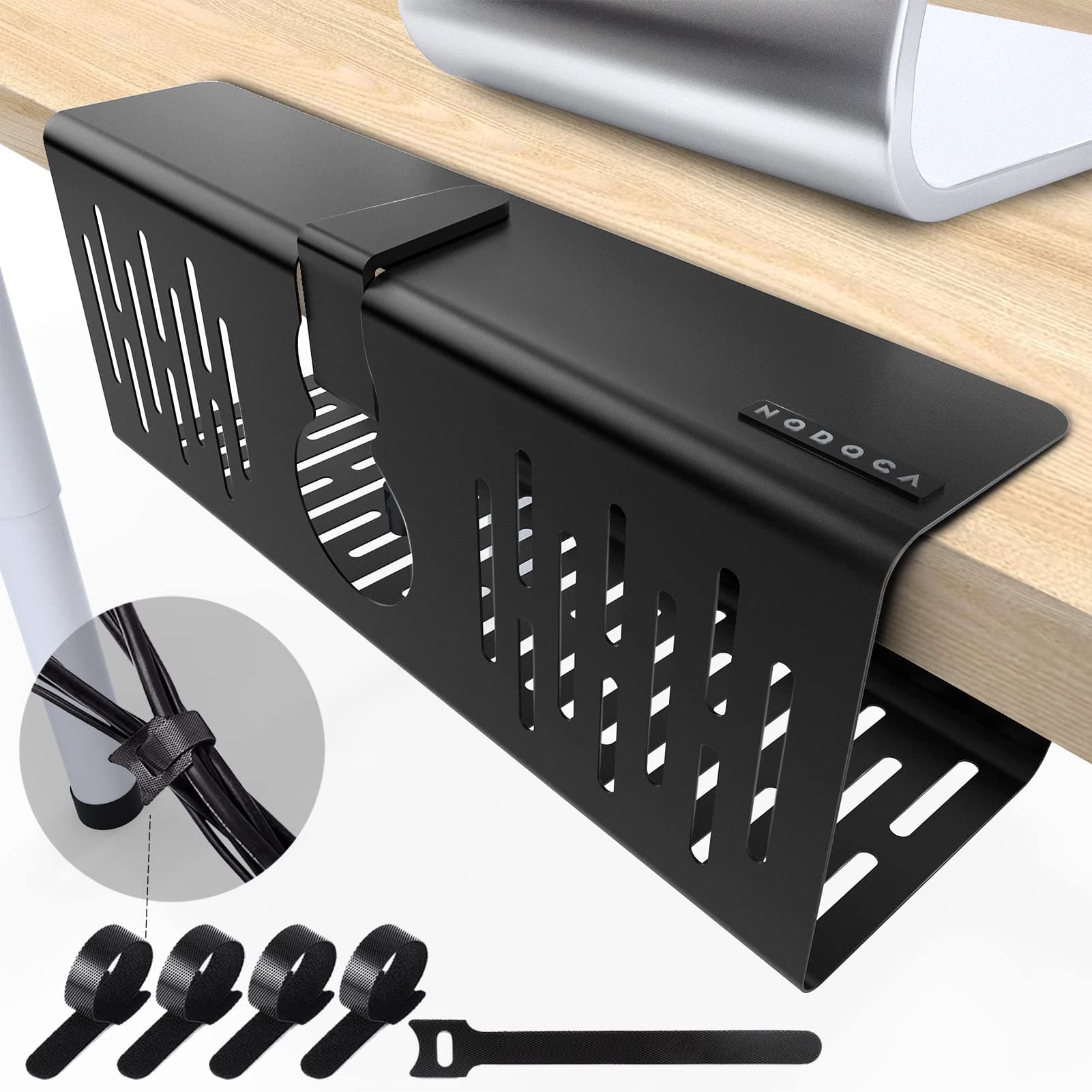
Best Clamp-On: J Channel Under-Desk Cable Management Tray
Clamp-on is the right choice for anyone who rents, moves frequently, or wants to preserve their desk surface. This tray attaches to the desk edge with two adjustable clamps — no tools, no damage. It holds a standard surge protector plus the cable tangle that comes with it.
The clamps adjust from 3/4 in. to 3 in. thick, which covers the vast majority of desk thicknesses including standing desks with thick tops. Setup takes about five minutes.
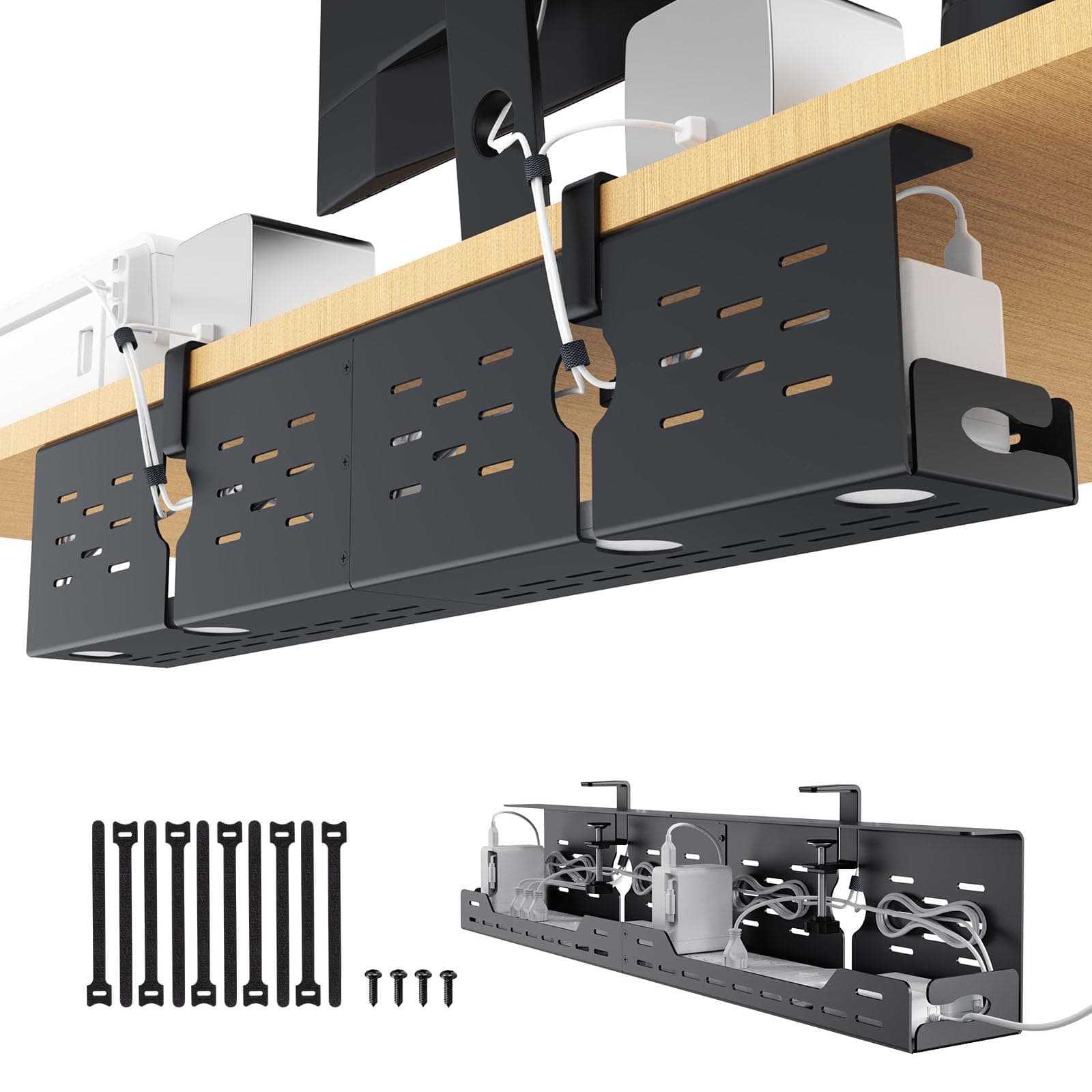
Under-Desk Cable Management Tray, Clamp-On, Steel Mesh
$32
Steel mesh tray with 2 clamp-on brackets. Fits desks 3/4 in. to 3 in. thick. 17 in. tray length, holds surge protector + cables. No tools required. Matte black finish.
One practical note: clamp-on trays work best when you mount them toward the back of the desk, away from where you might bump them with your knees. The further back, the more stable they are.
Best Adhesive Mount: VIVO Cable Management Raceway Box
If you're working on a glass desk or a surface you can't clamp to, adhesive mounting is your option. This raceway box attaches via industrial adhesive strips — the same 3M technology that holds command hooks — and creates a contained box under the desk where cables and power strips disappear.
The key advantage of a box over a mesh tray: everything is completely hidden, not just organized. If your desk is in a visible part of the room, box-style beats tray-style for aesthetics.
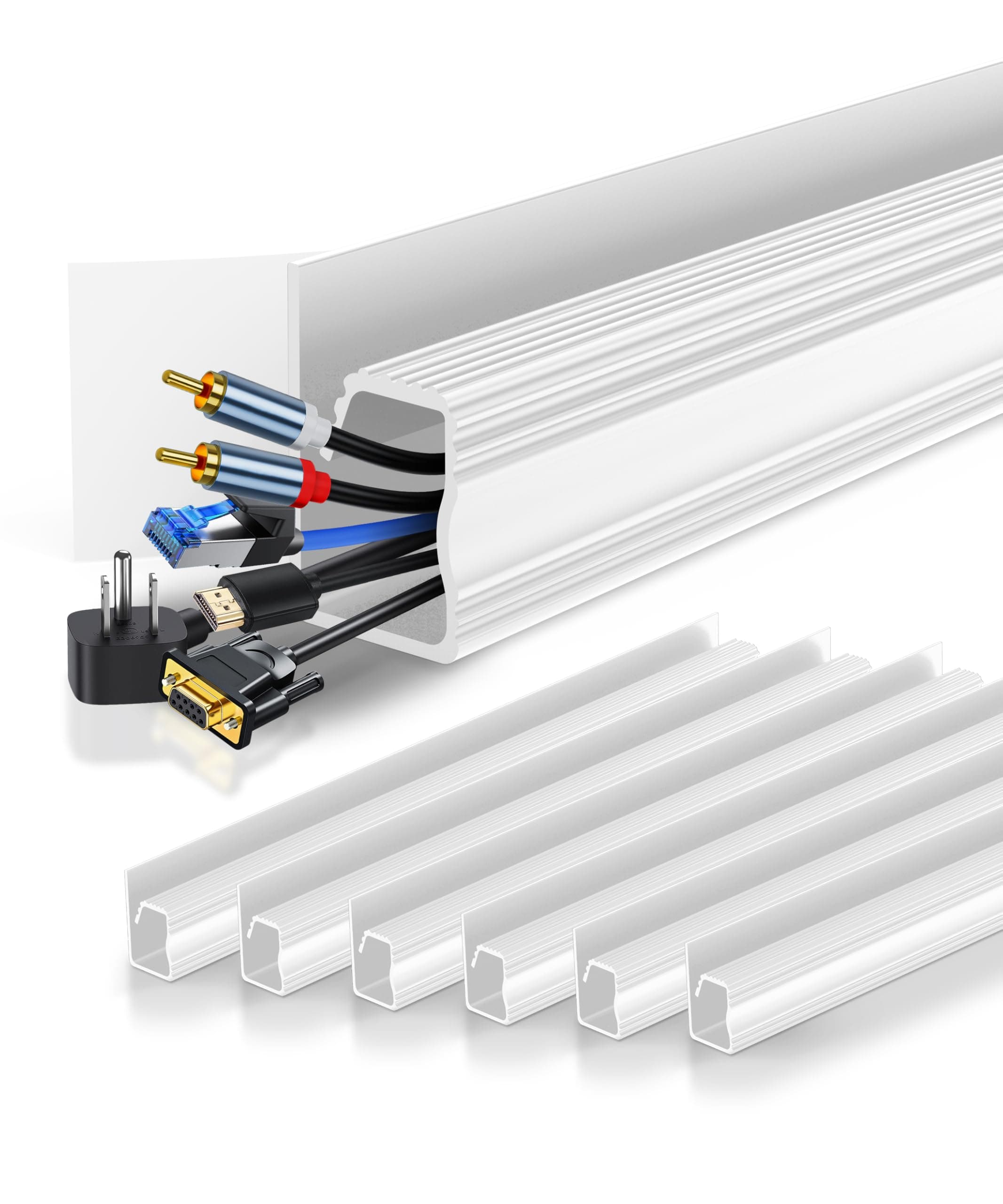
Under-Desk Cable Management Box, Adhesive Mount, White
$28
Enclosed cable management box with 3M adhesive mount strips. 15 in. x 4 in. x 3.5 in. Holds surge protector and cables. Cable entry slots on both ends. White or black available.
Important: clean and dry the desk surface thoroughly before applying. Adhesive on dusty or oily surfaces fails fast, especially under the weight of a power strip.
Best for Standing Desks: Cable Raceway with Screw Mount
Standing desks have a specific problem: when the desk height changes, cables that were perfectly routed at sit height become stretched or tangled at stand height. The solution is routing cables vertically along the desk leg, not horizontally along the underside.
A screw-mount raceway attached to the leg of a standing desk lets you route cables from the power strip at floor level up to the desk surface, with enough slack built in to accommodate height transitions. This is a different category from a cable tray — it's cable management for the whole run from floor to desk.
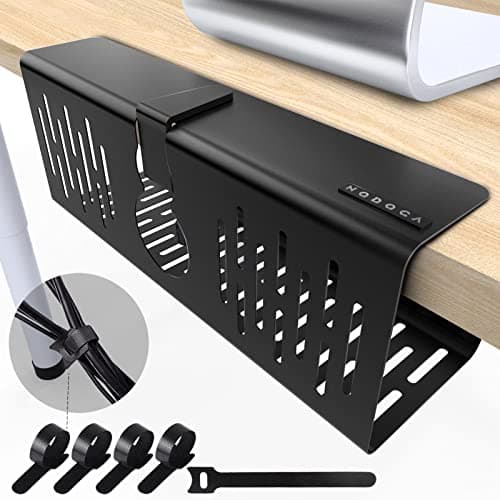
Cable Raceway Kit, Adhesive Cable Channels, 10-Pack
$22
10-piece cord cover raceway with adhesive backing. Each piece 15.7 in. long, paintable. Snap-in cover for easy cable addition. Corners and connectors included. Works on walls and desk legs.
For a standing desk, the combo that works best: cable tray mounted under the desk for the power strip and horizontal cable runs, plus a vertical raceway down the desk leg to route cables to a floor outlet cleanly.
Best Budget Pick: Velcro Cable Ties, 100-Pack
If you're not ready to mount anything, or you want to deal with cable management in stages, a pack of velcro cable ties is where to start. They're not a system, but they solve the immediate problem of cables forming a nest — which is usually the worst part.
Bundle cables that run together, label them if you have more than four or five, and at minimum get the floor cables up and against the wall rather than running across open floor. Velcro over zip ties for a reason: you can undo them without scissors when your setup changes.
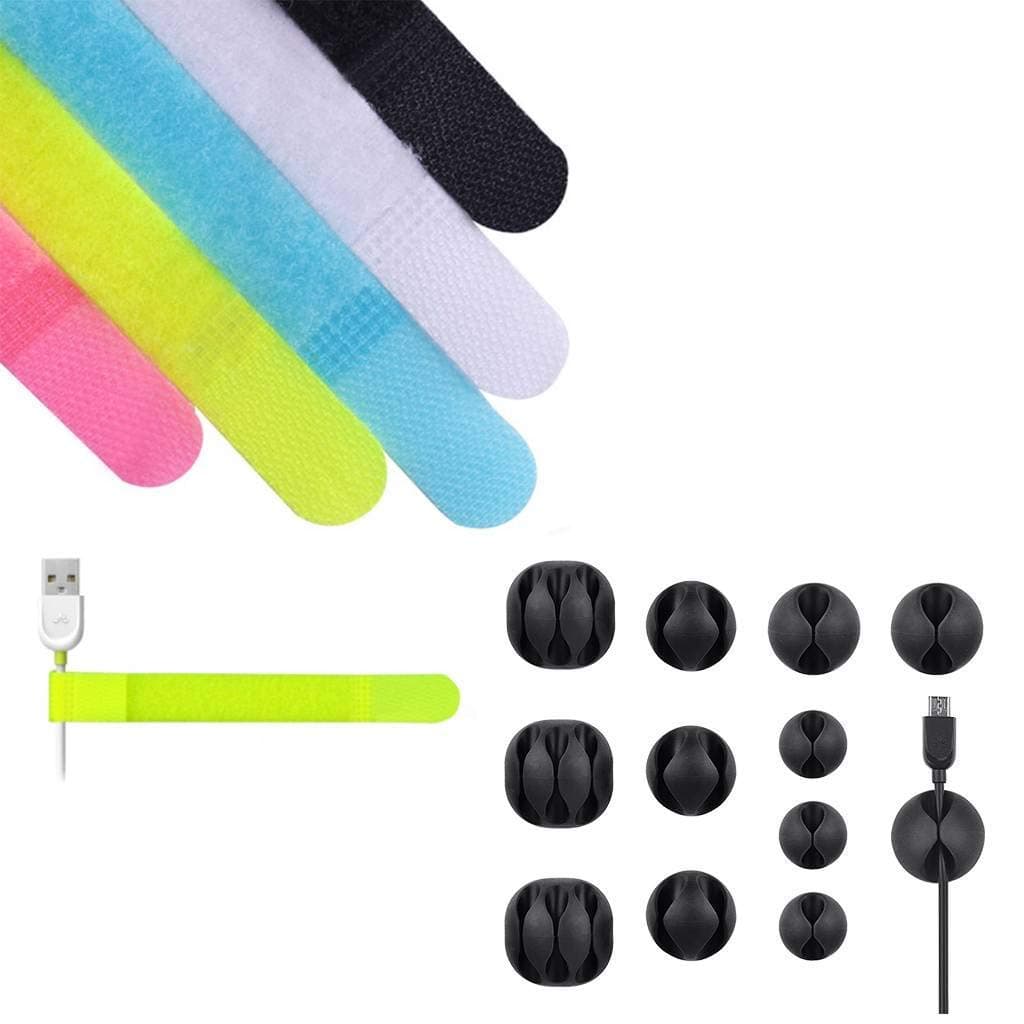
Velcro Cable Ties, 100-Pack, Reusable
$9
100 reusable velcro cable ties, 6 in. length. Cut to length or use as-is. Works on power cords, USB cables, AV cables, speaker wire. Black. No adhesive residue.
The $9 velcro pack plus a $32 cable tray is the combination that handles most home office cable situations. Add the raceway if you have a standing desk or a long cable run from the outlet to the desk.
Best Desk Outlet Add-On: In-Desk Power Grommet
One more piece that changes everything: a desk grommet with built-in power. If you have a drill (or know someone who does), a 2.5 in. hole in the desk surface lets you install a power grommet with 2-3 AC outlets and 2 USB ports right in the desk. Cables go through the hole to the tray below, and your power source is literally in the desk surface — no visible power strip, no cables stretching to a wall outlet.
This is a bigger project than the other picks, but if you're serious about a clean desk, it's the most complete solution.
Desk Grommet Power Strip with USB, Stainless
$42
Fits 2.5 in. desk holes. 3 AC outlets, 2 USB-A ports, 1 USB-C port. 6 ft. cord. Stainless steel cover, snap-in installation. 1080J surge protection. Black or silver.
How to Choose
Start with your mounting constraints. If you rent or want zero permanent modifications, clamp-on tray. If you have a glass desk, adhesive box. If you have a standing desk, add the vertical raceway to whatever tray you choose.
Then consider how much cable you're dealing with. A single laptop, one monitor, and a phone charger — a basic clamp tray handles it. Two monitors, a desktop computer, multiple peripherals, audio equipment — get a longer tray (20 in.+) and a grommet if your desk allows.
Finally: the goal is not perfection, it's maintenance. A cable management system that's easy to update when you add a new device will stay organized. One that requires full disassembly to add a cable will be abandoned in six weeks. Open-mesh trays and velcro ties win on that criterion every time.
Quick Tips
- Route cables along the back wall before routing them under the desk — wall-to-desk is easier to manage than floor-to-desk
- Label both ends of every cable before tucking them into a tray — future-you will thank current-you
- A surge protector is not optional for computer equipment — the $9 velcro solution should still include a properly-rated surge protector
- Dark-colored trays (black, dark gray) disappear under a desk; white trays are more visible and better for light-colored or glass desks
- Do one cable at a time when routing — trying to manage all of them at once is how you end up with a bigger mess
Pin this for later so you don't lose it — this is the kind of project you'll want a reference for when you're under the desk with a flashlight.
Affiliate Disclosure
This post contains affiliate links. Haven & Home may earn a commission on purchases made through these links, at no extra cost to you. We only recommend products we genuinely love.
You Might Also Love
 Organization
The Best Toy Storage Bins That Don't Look Like a Daycare
Toy storage in the living room does not have to ruin the aesthetic. These bins are functional enough for real use and nice enough to leave out.
 Organization
4 Under-$25 Swaps That Turn a Dump Drawer Into a Functional One
Under $25 each and your junk drawer finally closes. Four small swaps — bamboo organizer, clear dividers, pen caddy, and cushioned liner — that fix the chaos.
 Organization
How to Stop Tripping Over Shoes Without Buying More Furniture
Shoe piles at the door are a solved problem — and none of the solutions require a new bench or cabinet. Six options that work in real entryways.